
Satellite Communication on iPhone: Emergency SOS and Messages via Satellite — How to Prepare and Stay Calm Offline
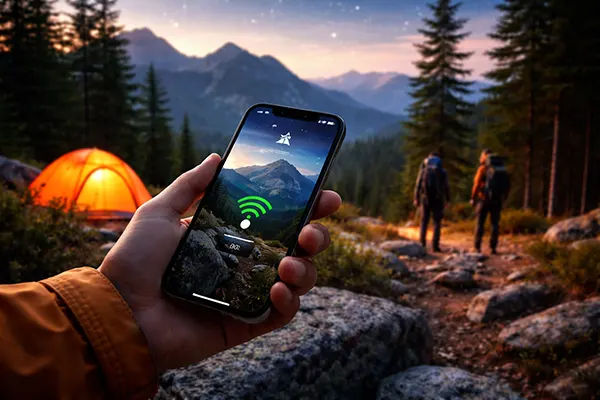
“No signal” used to mean “no options”. In 2026, an iPhone can still reach help — or send a basic text — using satellite when mobile and Wi-Fi are unavailable. The key is preparation: the feature only works on specific iPhone models, requires certain iOS versions, depends on where you are, and behaves differently from normal messaging. This guide focuses on what actually matters in the moment, so you don’t waste time figuring it out outdoors.
What these satellite features are (and what they are not) in 2026
Apple’s satellite features on iPhone are designed for situations where you have no cellular and no Wi-Fi coverage. Emergency SOS via satellite is intended for real emergencies: it helps you send a short, structured message to emergency services (either directly or through an emergency relay where applicable), sharing your location and answers to prompted questions.
Messages via satellite is different: it’s for contacting friends and family when you’re off-grid, and it’s explicitly not meant for emergencies. It supports iMessage and (in supported situations) SMS over satellite, but it’s limited to simple text, emojis, and Tapbacks, and you should expect slower delivery than normal messaging.
Both features require you to be outdoors with a clear view of the sky and the horizon. They can struggle under heavy tree cover, in narrow valleys, near tall buildings, or when you’re surrounded by obstacles. The best mindset is to treat satellite as a “basic lifeline”, not a full replacement for mobile service.
Devices, software, and regional availability you must know before you rely on it
You need an iPhone 14 or later (any model in the 14/15/16 families and newer). Older iPhones do not support Apple’s satellite connection features. Keeping iOS current matters because Apple has expanded satellite availability and minimum requirements over time, and these requirements can vary by country.
Emergency SOS via satellite is available in a growing list of countries and regions, including the United States, Canada, the United Kingdom, France, Germany, Ireland, Australia, New Zealand, Japan, and several European countries. The minimum iOS version required depends on the country, so travellers should check this before a trip and update iOS while they still have reliable internet access.
Messages via satellite has more limited regional availability than Emergency SOS. As of late 2025 Apple documentation, it’s available in the United States, Canada, Mexico, and Japan, and it requires iOS 18 (or later) in those regions, with Mexico requiring iOS 18.4 or later. If you travel frequently, treat availability as a trip-planning item, not an assumption.
Emergency SOS via satellite: set up once, and you’ll thank yourself later
In a real emergency, the main risk is not knowing what to do or what to tap. Apple’s Emergency SOS via satellite walks you through questions to describe your situation, but the quality of what you send depends on what you set up beforehand — and how calm you can stay while connecting.
Start with your Medical ID in the Health app. Make sure it’s accurate and complete: allergies, medications, medical conditions, blood type (if you know it), and an emergency contact. In an emergency, those details can be shared to help responders understand risks and needs faster.
Next, set emergency contacts properly and keep them current. Emergency SOS via satellite can notify your emergency contacts and share a transcript and location details depending on iOS and messaging setup, so choose contacts who can act on information quickly and who are likely to answer if they receive an urgent message.
How to use Emergency SOS outdoors without losing time
If you’re in trouble and have no coverage, first attempt the local emergency number; sometimes a different carrier’s network can still complete a call. If the call won’t connect, your iPhone can offer Emergency Text via Satellite. Follow the on-screen prompts: they’re designed to minimise typing and reduce mistakes under stress.
Positioning matters more than people expect. You’ll usually need to hold the phone so it can “see” the sky, and you may be asked to turn or move to lock onto a satellite. Don’t stand directly under dense trees or close to a cliff face if you can safely relocate a short distance; even a small move can improve the line of sight.
Once connected, keep the phone steady and stay on the instruction screen until the message is sent and any follow-up questions are complete. Satellite messaging can take longer than normal, and interruptions (moving into obstruction, locking the phone, or walking under cover) can break the connection and waste precious minutes.
Messages via satellite: realistic expectations and a “before you leave” routine
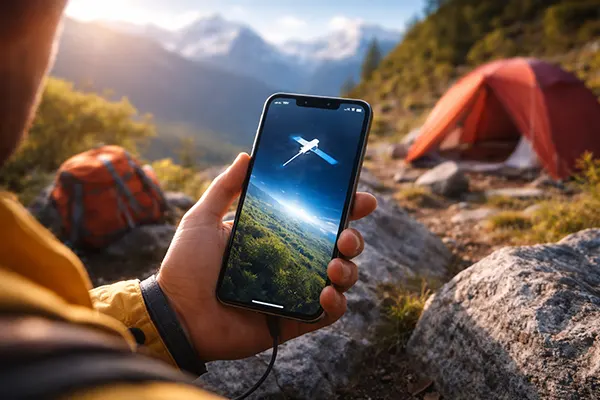
Messages via satellite is best treated as a lightweight safety net for non-emergency situations: letting someone know you’re delayed, confirming you’ve arrived, or coordinating a pickup point when you’re beyond signal range. The feature is useful, but only if you prepare while you still have a network connection.
Before you go off-grid, ensure iMessage is switched on and working. If your iMessage activation is incomplete, or if your SIM is inactive, you can lose valuable time trying to troubleshoot when you should be conserving battery and focusing on navigation or safety.
Also think about the people you might need to contact. Apple notes that for iMessage via satellite, the other person generally needs iOS 18 or later, and for SMS replies via satellite they need iOS 17.6 or later (or they can be on a non-Apple phone receiving SMS). If your closest contacts rarely update their phones, plan for SMS-style communication and keep messages short and clear.
What works, what doesn’t, and how to make it succeed in the field
Messages via satellite supports plain text, emojis, and Tapbacks, but not photos, videos, audio messages, stickers, or group chats. This limitation is not a bug: it keeps the data lightweight so messages can get through even with a weak connection.
Delivery time is variable. In ideal open-sky conditions, a message may send in around half a minute, but under light or medium foliage it can take longer, and under heavy canopy it may fail. If you need to communicate, move to a clearer area first, and write your message in a way that stays useful even if it arrives later than expected.
Practise before you need it. Apple provides a Satellite Connection Demo in settings (when you’re on-grid) so you can learn the movement and aiming guidance without being in a crisis. That short practice session is one of the most effective ways to reduce panic when you’re tired, cold, or stressed outdoors.