
iPhone as a Travel Tool: eSIM, Satellite Features, Offline Maps, Battery Saving and Privacy on Public Networks
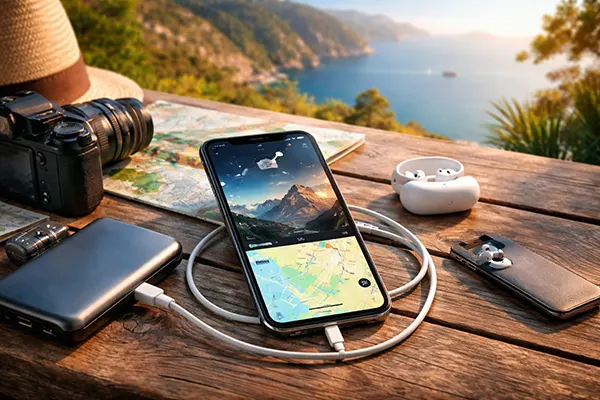
In 2026, travelling with an iPhone is no longer just about taking photos or checking emails. For many people, it replaces paper tickets, local SIM cards, printed maps and even emergency equipment. Apple has steadily expanded connectivity, safety and privacy features across recent models, particularly from iPhone 14 onwards. When configured properly, the device becomes a compact travel hub: it keeps you connected abroad through eSIM, helps you navigate without signal, extends battery life on long journeys and protects your data on public Wi-Fi networks.
eSIM and Global Connectivity in 2026
eSIM technology is now widely supported across Europe, North America and most of Asia-Pacific. All recent iPhone models support multiple eSIM profiles, allowing travellers to store several plans and switch between them in seconds. Instead of searching for a physical SIM at the airport, you can purchase a regional or country-specific data plan in advance from reputable providers and activate it via a QR code or carrier app before departure.
In practical terms, this means you can keep your primary UK number active for calls and two-factor authentication, while using a local eSIM for affordable mobile data. iOS allows you to assign separate lines for voice and data, choose which line is used for iMessage and FaceTime, and monitor roaming charges clearly in Settings. For frequent travellers, this reduces the risk of unexpected bills and avoids downtime when crossing borders.
Security is another advantage. Because there is no physical card to remove, the risk of SIM swapping during travel is lower. Combined with carrier-level PIN protection and Apple’s built-in SIM lock options, eSIM offers a more controlled environment for connectivity, especially when travelling through busy transit hubs.
Practical Tips for Managing eSIM Abroad
Before departure, update iOS to the latest stable version. Carrier compatibility and network profiles are regularly improved through software updates. It is also advisable to download and install your travel eSIM while you still have a stable home connection, rather than relying on airport Wi-Fi.
Check whether your chosen plan supports 5G, LTE or only 4G in your destination. In some regions in 2026, 5G coverage remains limited outside major cities. Manually selecting the preferred network type in Settings can help conserve battery life if ultra-fast speeds are unnecessary for your trip.
Finally, disable data roaming on your primary UK line if you intend to rely fully on a local eSIM. This simple step prevents accidental background data usage and ensures that apps, cloud backups and system updates do not consume expensive roaming allowances.
Satellite Features and Emergency Communication
Since the introduction of satellite connectivity with iPhone 14, Apple has expanded emergency satellite services to more countries. By 2026, Emergency SOS via satellite and roadside assistance messaging are available across much of Europe, the US, Canada and Australia. These features allow users to send text-based emergency information even when there is no mobile coverage.
The system works by guiding you to point your phone towards a satellite. The interface reduces messages to essential questions, such as the type of emergency and the number of people involved, to minimise data transmission time. In remote hiking areas, mountain regions or rural coastal zones, this can provide a critical communication channel when traditional networks fail.
In addition to emergency use, some regions now support limited non-emergency satellite messaging. Although speeds are modest and not suitable for media sharing, the feature offers reassurance during extended outdoor travel. It is important to check regional availability in advance, as coverage varies by country.
How to Prepare Your iPhone for Remote Travel
Before heading into remote areas, test the Emergency SOS interface in demo mode within Settings. Apple provides a simulation so users can understand how satellite alignment works without contacting real services. Familiarity reduces stress in genuine emergencies.
Ensure that Medical ID information is updated, including emergency contacts and relevant health details. In serious incidents, this information can be shared automatically with responders. Keeping these records accurate enhances the practical value of satellite connectivity.
Battery preparation is equally important. Satellite communication requires clear sky visibility and sufficient charge. Carrying a compact power bank and enabling Low Power Mode before entering low-signal zones can make the difference between successful contact and a drained device.
Offline Maps, Battery Efficiency and Public Network Privacy
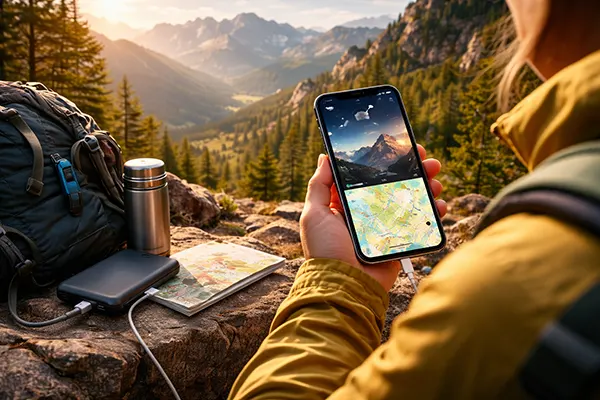
iOS now allows users to download detailed offline maps directly in Apple Maps. In 2026, offline navigation includes turn-by-turn directions, estimated arrival times and points of interest. This is particularly useful in underground transport systems, mountainous regions or countries where mobile data is unreliable.
Downloading maps in advance reduces roaming costs and improves battery efficiency, as the phone does not constantly search for a weak signal. Combined with optimised battery charging and adaptive refresh rate technologies in recent iPhone models, travellers can realistically extend usage through a full day of navigation and photography without midday charging.
Public Wi-Fi remains common in airports, hotels and cafés, but it introduces privacy risks. iPhone includes built-in protections such as Private Wi-Fi Address, iCloud Private Relay (where available) and automatic warnings about unsecured networks. These tools reduce tracking and help shield browsing activity from interception.
Practical Privacy and Power-Saving Measures
When connecting to public Wi-Fi, avoid sensitive transactions unless absolutely necessary. If required, ensure that websites use HTTPS and consider enabling a trusted VPN service. Disable automatic connection to open networks to prevent the device from joining insecure hotspots without your awareness.
To conserve battery during long travel days, reduce screen brightness manually, disable background app refresh for non-essential apps and limit location access to “While Using” instead of “Always”. These adjustments can significantly slow battery drain, particularly in roaming scenarios.
Finally, review privacy settings before departure. Turn off unnecessary Bluetooth sharing, restrict AirDrop to contacts only, and check app permissions for camera, microphone and location. A short review in Settings can prevent data exposure and ensure that your iPhone remains a reliable, secure companion throughout your journey.