
Apple Accessibility in 2026: On-Device AI Subtitles and Eye-Controlled Wheelchairs with Vision Pro
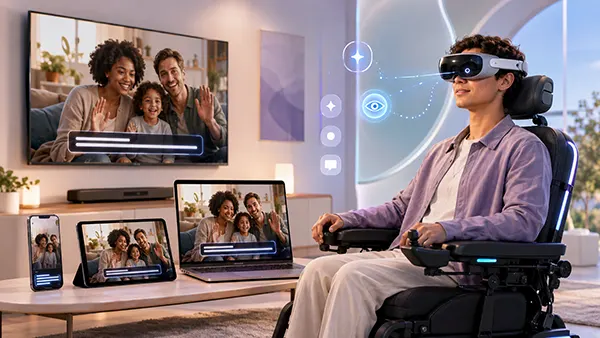
Apple’s accessibility plans for 2026 focus increasingly on removing practical barriers rather than simply adding more settings to its devices. Two of the most significant additions announced in May are generated subtitles for videos that do not already contain captions and a new Apple Vision Pro feature that can allow some users to control compatible power wheelchairs with their eyes. Both developments use technology already present in Apple products in a more assistive role: on-device speech recognition handles spoken dialogue in videos, while Vision Pro’s precision eye tracking becomes an input method for compatible wheelchair drive systems. As of 7 August 2026, Apple describes both features as coming later in the year rather than as universally available functions. Their initial availability will also be limited by language, country, hardware and compatibility requirements, making those details important when assessing what the announcements actually mean for users.
Generated Subtitles Bring Captions to Videos That Previously Had None
Generated subtitles address a familiar problem for people who are deaf or hard of hearing: many professionally produced films and television programmes include captions, but personal and informal video often does not. A clip recorded by a relative, a video received in a message, a recording made on an iPhone or some online video can therefore be difficult or impossible to follow without hearing the spoken audio. Apple’s new feature is intended to fill this gap automatically. When a video has no existing captions or subtitles, supported Apple devices will be able to recognise speech and display a transcription during playback. The important distinction is that Apple is not trying to replace professionally prepared subtitles where they already exist. The function is designed primarily for media in which no accessible text alternative has been supplied, extending captioning to content that has traditionally been overlooked.
Apple says generated subtitles are coming to iPhone, iPad, Mac, Apple TV and Apple Vision Pro. This broad device coverage matters because video is no longer consumed in one predictable way. A person might receive a family video on an iPhone, review a work recording on a Mac, watch online content on Apple TV and use Vision Pro for spatial media. Having a similar accessibility option across these devices can reduce the need to move a file to another app or device purely to obtain a transcript. Apple also says users will be able to adjust the visual appearance of subtitles through playback controls or Settings. Caption customisation is more than a cosmetic addition: text size, presentation and visibility can affect whether subtitles remain comfortable to read against different types of video, particularly for viewers who have both hearing and visual accessibility requirements.
The feature is sometimes described as an AI subtitle tool because it forms part of Apple’s wider 2026 accessibility announcements involving Apple Intelligence. More precisely, however, Apple says generated subtitles rely on on-device speech recognition. That distinction is useful because the task is transcription: recognising spoken words and presenting them as readable text. It is not the same as asking a generative system to rewrite, summarise or interpret what a speaker intended to say. The resulting subtitles should therefore be understood as an automated representation of detected speech rather than a professionally edited transcript. Automatic speech recognition can still encounter difficulties with overlapping speakers, unusual names, accents, background noise or poor-quality recordings. Generated subtitles can improve access to previously uncaptioned video, but users should not assume that every automatically produced line will reproduce speech perfectly.
On-Device Processing Makes Privacy Part of the Accessibility Design
One of the more important aspects of Apple’s implementation is where the speech recognition happens. Apple states that subtitles are generated on the device, with privacy built into the process. This is particularly relevant for personal video. The material requiring captions may include family conversations, private recordings, workplace clips, personal documents shown on camera or other content that a user would prefer not to send elsewhere simply to obtain a transcription. By carrying out supported speech recognition locally, Apple can provide an accessibility function without making remote processing the default requirement for the subtitle-generation task. The approach also fits a broader pattern in Apple’s accessibility work, where on-device processing is used when practical for features that may handle sensitive personal information. Privacy therefore becomes part of the usefulness of the feature rather than a separate consideration added after transcription has taken place.
Local processing also changes how generated subtitles can fit into everyday use. Accessibility works best when it does not require several preparatory steps each time a person encounters inaccessible content. If someone receives an uncaptioned clip, the useful outcome is being able to play it and understand the dialogue without first exporting it, uploading it to a transcription service, waiting for processing and returning to the original video. Apple’s announced approach is intended to make subtitles appear automatically when supported video contains speech but lacks existing captions. This does not eliminate every limitation of automatic transcription, but it reduces the amount of manual work between receiving content and being able to understand it. That difference can be especially meaningful when video is used for routine communication rather than formal entertainment, because personal clips are precisely the type of media least likely to have been captioned in advance.
Availability remains the major qualification in 2026. Apple has said that generated subtitles will initially be available in English in the United States and Canada. That is substantially narrower than the full geographical reach of the Apple devices that will eventually support the feature. An iPhone, Mac or Vision Pro being sold in a particular country does not automatically mean generated subtitles will be available there, and support for Apple Intelligence in a language does not necessarily guarantee support for every related accessibility function. Users in the UK, Europe and other regions should therefore check feature-specific availability rather than relying on general device or language compatibility. Apple has not presented the initial launch as universal. The technology has considerable potential, but its practical value will depend on how quickly language coverage and regional availability expand after the first release.
Vision Pro Turns Eye Tracking into a Power Wheelchair Control Method
The second major accessibility announcement takes Apple Vision Pro beyond interaction with digital content and connects its eye-tracking system to compatible power wheelchair controls. Power wheelchairs are commonly associated with joysticks, but a joystick is not usable by everyone. Some people have very limited movement in their hands or arms while retaining enough controlled eye movement to use gaze-based input. Alternative wheelchair drive controls already exist for such situations, and Apple is not replacing the wheelchair’s own control electronics. Instead, the new Vision Pro function is designed to provide an eye-based input method for compatible alternative drive systems. The user’s gaze is detected by Vision Pro and used as part of the control process. This is a notable change in purpose for hardware originally designed to track where a person looks while navigating visionOS, selecting interface elements and interacting with spatial content.
Vision Pro is well suited to this type of experiment because eye tracking is already central to its normal operation. Users typically look at an interface element and combine their gaze with another action to make a selection, while accessibility settings can also support eye-only interaction through features such as Dwell Control. Apple says the wheelchair function uses Vision Pro’s precision eye-tracking system and does not require frequent recalibration. The company also says it can operate across a variety of lighting conditions. For someone who cannot comfortably use a conventional joystick, reducing repeated calibration could make an eye-based control method less disruptive during a session. However, this should not be interpreted as meaning that every person with limited mobility will be able to use the system in the same way. Eye conditions, individual movement, fit and other factors can affect how reliably Vision Pro detects a user’s gaze.
The initial compatibility list is deliberately limited. Apple says the feature will launch with Tolt and LUCI alternative drive systems in the United States, with support for both Bluetooth and wired accessory connections. A wired setup requires the Apple Vision Pro Developer Strap, so it is not simply a matter of connecting a standard cable included with the headset. Apple has also said it intends to work with developers to add support for more wheelchair drive systems. This means the 2026 announcement should be viewed as the beginning of a compatibility programme rather than a universal wheelchair-control standard. A power wheelchair will need an appropriate supported drive system, and users should verify compatibility with the relevant equipment supplier. The presence of Vision Pro alone does not turn an unsupported wheelchair into an eye-controlled model.
Compatibility and Safety Define Where Eye Control Can Be Used
The safety context is especially important because controlling a wheelchair is fundamentally different from selecting an icon on a screen. A missed interface selection may be inconvenient; an unintended movement of mobility equipment can have physical consequences. Apple therefore states that the wheelchair feature and Vision Pro are intended for use in controlled environments. Apple’s broader Vision Pro safety guidance advises against using the device near roadways or in places where moving objects present a collision risk, and it warns against uncontrolled environments that require continuous attention to safety. Those limitations should be taken seriously when considering the wheelchair feature. The announcement is about providing an additional accessible control option under suitable conditions, not about turning Vision Pro into an unrestricted outdoor driving system. Users, carers and mobility specialists will need to consider the environment as carefully as the technical compatibility.
Vision Pro also has physical and visual requirements that may affect suitability. The device relies on accurately detecting the user’s eyes, and Apple notes that certain conditions involving eye alignment, eyelid position or uncontrolled eye movement can make eye tracking more difficult. At the same time, visionOS already includes adjustments intended to make interaction more flexible. A user can choose both eyes, the left eye or the right eye for eye input, while alternative navigation can use the head, wrist, finger or voice when eye input is unsuitable. These existing options illustrate an important principle of assistive design: no single input method works for everyone. Eye-controlled wheelchair support may be highly relevant to a relatively specific group of users, but its value lies precisely in providing another option where traditional hand-based controls are difficult or impossible to operate.
The new function may also influence how assistive hardware is designed in future. Advanced eye-control systems have existed before Vision Pro, so eye-driven mobility itself is not a new concept. What changes is the possibility of using a consumer spatial computer with integrated high-precision eye tracking as part of a supported wheelchair control arrangement. If Apple succeeds in expanding compatibility beyond the initial Tolt and LUCI systems, developers of alternative drive equipment may gain another established input device to work with rather than requiring every solution to provide a completely separate eye-tracking unit. That possibility is still dependent on future support and should not be treated as a guaranteed industry shift. In 2026, the concrete development is narrower but still significant: Apple has formally connected Vision Pro’s gaze tracking with compatible power wheelchair control and has committed to broadening support.
Apple’s 2026 Accessibility Changes Go Beyond Two Headline Features
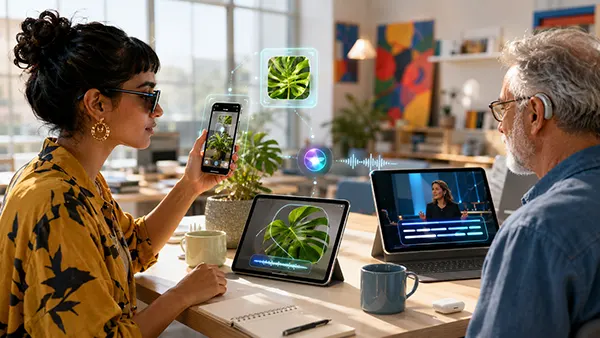
Generated subtitles and wheelchair control are the most unusual parts of Apple’s 2026 accessibility announcement, but they sit within a wider set of changes. Apple Intelligence is also being used to make VoiceOver and Magnifier provide more detailed information about images and physical surroundings. VoiceOver’s Image Explorer is intended to give richer descriptions of visual material such as photographs, scanned bills and personal records. Updates to Live Recognition allow users to ask questions about what appears in the iPhone camera view and then request further information using their own words. Magnifier is receiving related capabilities in an interface designed for users with low vision. These additions show how Apple is using machine-assisted interpretation to address a recurring accessibility problem: a camera or screen may contain useful information, but that information is not automatically accessible to someone who cannot see it clearly.
Voice Control is also becoming less dependent on memorising precise commands. Apple says the Apple Intelligence version will allow users to describe visible buttons and controls using more natural language. Instead of having to remember a label or identify a numbered interface element, a person might refer to what an item looks like or what it contains. This could be particularly useful in apps where accessibility labels are incomplete or where a visual layout makes traditional voice navigation awkward. The initial Apple Intelligence-powered Voice Control availability is narrower than the general availability of Voice Control itself: Apple says the new natural-language capabilities will be available in English in the United States, Canada, the UK and Australia. This distinction matters because existing accessibility features and their new AI-assisted functions may have different language and regional requirements.
Accessibility Reader is receiving another set of changes aimed at making complicated documents easier to handle. Apple says it will be able to work with material containing elements such as multiple columns, images and tables, rather than functioning only with straightforward blocks of text. On-demand summaries can give readers an overview before they work through a longer document, while built-in translation can present text in another language without discarding the reader’s chosen formatting, fonts and colours. These functions can be useful for people with dyslexia, low vision and other reading-related accessibility needs, but they also show why 2026 should not be reduced to a single AI feature. Apple is applying different forms of recognition, language processing and personalisation to specific accessibility tasks rather than treating artificial intelligence as one universal solution.
Availability and Real-World Use Matter More Than the Announcement Alone
The most useful way to assess Apple’s 2026 accessibility work is to separate announced capability from actual availability. Apple presented the main updates on 19 May 2026 and said the new features would arrive later in the year. As of 7 August 2026, that wording remains important. Generated subtitles are scheduled initially for English in the United States and Canada, while Vision Pro wheelchair control is launching with Tolt and LUCI alternative drive systems in the United States. Other Apple Intelligence accessibility improvements also have their own language and device requirements. Consequently, a feature appearing in an Apple announcement does not mean every Apple user can immediately activate it. Anyone planning around an accessibility function should check current software requirements, supported language, country availability and compatible hardware before buying equipment or changing an established assistive setup.
It is equally important to judge these tools by the barriers they remove rather than by the complexity of the technology behind them. Generated subtitles can make an ordinary family clip understandable without someone having to prepare captions manually. Natural-language Voice Control can reduce the need to memorise interface terminology. Richer visual descriptions can make information in a photograph or document easier to access. Vision Pro wheelchair control may give some users an additional way to direct their mobility equipment when a joystick is not practical. None of these functions solves every accessibility problem, and each has limitations. Their value comes from giving users more choices. Accessibility needs vary substantially between individuals, so offering several ways to read, listen, navigate, select and control is generally more useful than expecting one method to work for everyone.
The 2026 updates also show a clearer connection between mainstream device capabilities and specialised assistive uses. Speech recognition developed for everyday computing can produce captions for previously inaccessible video. Computer vision can provide more useful descriptions to VoiceOver and Magnifier users. Natural-language processing can make voice navigation less rigid. Precision gaze tracking developed for Vision Pro interaction can serve as an input method for compatible mobility equipment. The important measure will be how reliably these features work once released, how quickly Apple expands regional and language support, and how many assistive hardware developers adopt the relevant connections. For now, Apple’s announcements provide concrete examples of accessibility being designed into existing products rather than treated as a separate category of technology, while the stated compatibility and safety limits remain essential parts of the picture.