
iPhone Mirroring on Mac: Complete Practical Guide with Requirements, Privacy and Common Issues
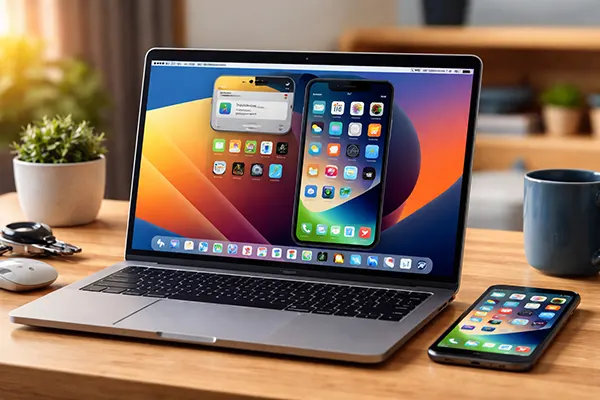
Apple introduced iPhone Mirroring as part of the macOS Sequoia ecosystem, allowing users to control their iPhone directly from a Mac without touching the phone itself. The feature mirrors the iPhone interface in a window on the Mac screen and enables interaction with apps, notifications and Live Activities. In practice, it changes how people work with two Apple devices at the same time: messages can be answered on the Mac, applications can be opened remotely and notifications appear instantly on the desktop. However, the system works only under specific conditions related to hardware, Apple ID configuration and device proximity. Understanding these requirements is essential for stable operation.
System Requirements and Supported Devices
iPhone Mirroring is available only on devices that support the newest versions of Apple operating systems. The Mac must run macOS Sequoia or later, while the iPhone must use iOS 18 or newer. Apple also limits compatibility to Apple Silicon Macs or newer Intel models that support Continuity features. Older hardware does not provide the necessary wireless performance and security environment required for screen mirroring and remote interaction.
Both devices must be signed in to the same Apple Account with two-factor authentication enabled. Apple relies on this authentication layer to ensure that the mirrored session cannot be accessed by another device or user. The feature will not activate if the Mac and iPhone use different Apple IDs or if iCloud services are partially disabled.
Another requirement concerns physical proximity. The iPhone and Mac must remain close to each other and connected to Wi-Fi and Bluetooth. Apple designed the system to work locally rather than through the internet, which improves responsiveness and security but means the devices cannot be separated by large distances.
Preparing the Devices Before First Use
Before launching iPhone Mirroring for the first time, users should confirm that both devices have updated software. macOS updates often include Continuity improvements that directly affect connection stability. Installing the latest update reduces the risk of pairing errors and connection interruptions.
Bluetooth and Wi-Fi must remain active on both devices. The system uses a combination of these technologies to establish a secure link between the Mac and the iPhone. If either connection is disabled, the mirroring window will not appear in the Dock and the Mac will not detect the phone.
Once the feature is opened on the Mac, the system automatically recognises the nearby iPhone associated with the same Apple Account. The phone itself stays locked during use, which prevents physical access to the device while the mirrored session is running.
How iPhone Mirroring Works in Daily Use
When the feature starts, the Mac displays a real-time view of the iPhone interface in a separate window. The user can click, scroll and open applications with the mouse or trackpad as if interacting directly with the phone. The mirrored display adapts to the Mac screen and supports gestures such as scrolling and swiping.
One practical advantage is the integration with notifications. Messages, alerts and Live Activities appear on the Mac, allowing the user to respond instantly without unlocking the phone. This reduces interruptions during work sessions and keeps communication accessible on the desktop.
The mirrored session also supports common iPhone actions such as launching apps, reading messages or checking reminders. However, certain system functions remain restricted, especially those related to camera access, security settings or Apple Pay authentication.
Integration with Messages and Live Activities
Apple designed iPhone Mirroring to integrate closely with the Messages application. Incoming iMessage conversations appear on the Mac, and replies can be typed using the computer keyboard. The conversation remains synchronised with the phone in real time.
Live Activities also appear within the mirrored interface. These are dynamic notifications used by apps such as delivery services, sports trackers or ride-sharing tools. Viewing them on the Mac allows users to monitor progress without switching to the iPhone.
Because the phone remains locked during mirroring, the Mac effectively acts as a remote interface. This approach protects personal data while still allowing interaction with many everyday apps.

Privacy, Security and Typical Problems
Apple places strong emphasis on privacy in the design of iPhone Mirroring. The mirrored interface is accessible only when both devices are logged into the same Apple Account and remain physically close. Data does not travel through external servers during normal operation, which reduces exposure to external networks.
The iPhone stays locked throughout the session. This ensures that even if someone sees the Mac screen, they cannot physically interact with the phone itself. Sensitive actions that require biometric authentication, such as Face ID or Touch ID verification, must still be completed on the device.
Another security element involves session termination. If the Mac moves out of range, if Bluetooth is disabled or if the Apple Account changes, the mirrored connection automatically ends. The system prevents persistent access once the trusted environment is lost.
Common Connection Issues and How to Fix Them
One of the most common problems occurs when the Mac cannot detect the iPhone. In most cases this happens because Bluetooth or Wi-Fi is disabled on one of the devices. Re-enabling both connections and placing the devices close together usually resolves the issue.
Another frequent problem appears when Apple Accounts do not match. iPhone Mirroring requires the same Apple ID on both devices, including full iCloud synchronisation. Signing out and signing back in with the same account can restore functionality.
If the mirrored window opens but freezes or responds slowly, restarting both devices often improves performance. Background network interference, outdated software or temporary Continuity errors can disrupt the connection until the system refreshes the pairing.